Set up your server.
One command installs nightcap, a guided setup in your terminal. It asks a few plain questions and builds the rest, usually in about five minutes.
curl -fsSL https://mynightcap.tv/install.sh | shPaste it in Terminal, then run nightcap.
curl -fsSL https://mynightcap.tv/install.sh | shPaste it in a terminal, then run nightcap.
Open it, and answer its questions.
You’ll need Docker, kubectl or gcloud, depending on where it runs. The setup checks for you.
And a free TMDB key for posters and details.
Later your household’s sources, and an AI key if you want AI picks.
How it goes
Step 1: Paste one line
Then type
nightcap. It looks at what this computer has, Docker, kubectl and gcloud, and only offers what will work.Step 2: Answer a few questions
Where it runs, its database (it can make one for you), your TMDB key, checked as you paste it, a name and a country. Then everything is shown back on one screen before anything is made.
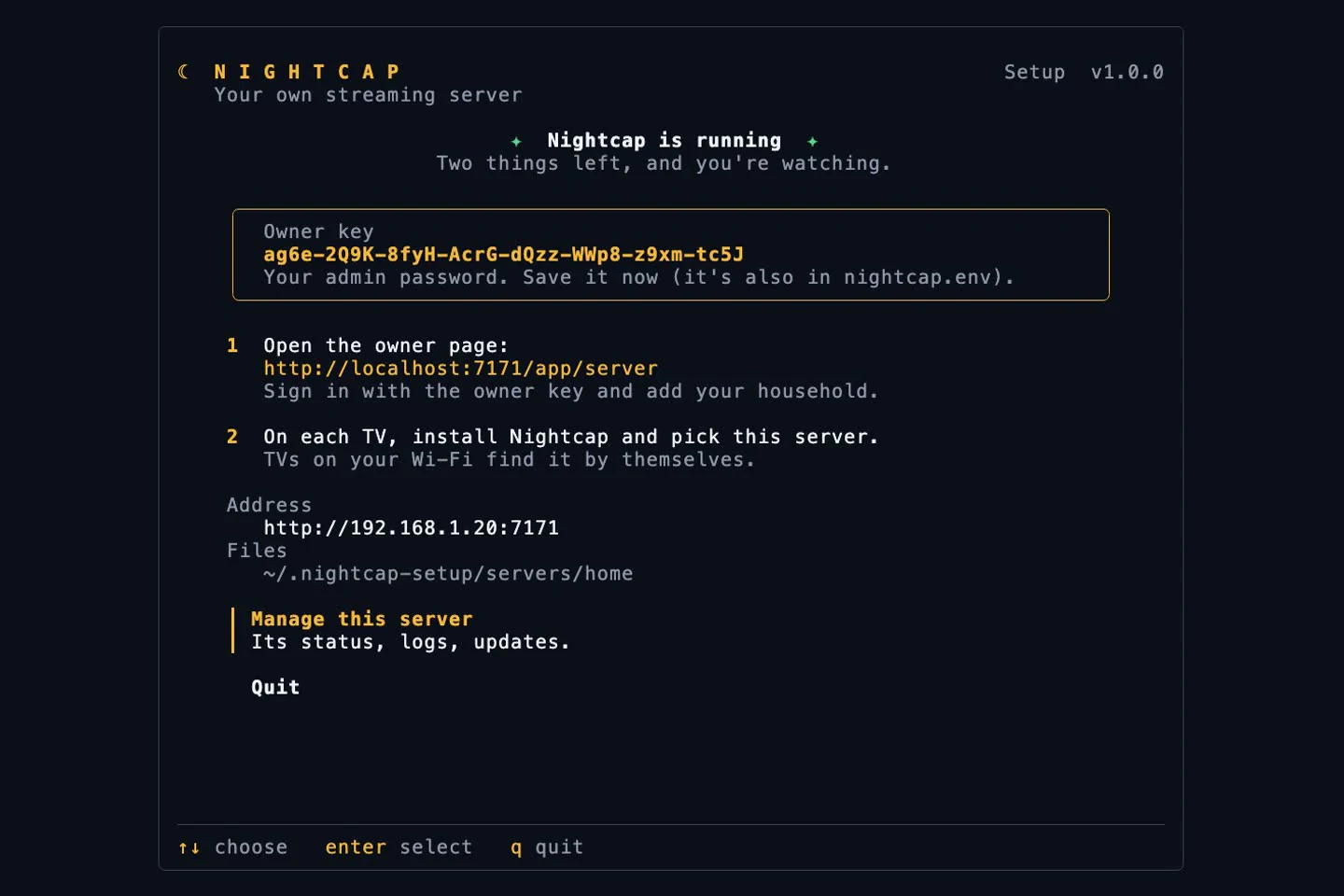
Step 3: Watch it come up
Each step ticks to done. It ends with the server running, your owner key and the link to open.
Step 4: Look after it later
Run
nightcapagain for status, households and devices, logs, updates, restart and stop.
Nothing is made until you say so. Keys show as dots and stay out of logs. Ctrl+C asks before it stops, and a step that fails can be tried again from where it stopped.
Where it can run
Pick one now. You can run more than one server later, say one at home and one in the cloud.
| Where | Good for | You need | Cost |
|---|---|---|---|
| This computerDockerOur pick for a home | Your home. An Android TV on the Wi-Fi finds it by itself. | Docker, running | Nothing but the electricity |
| KubernetesAny cluster you run | A cluster you already have at home. | kubectl, pointed at the cluster | Nothing on your own hardware |
| Google CloudCloud Run | Watching away from home, with nothing left on at home. TVs join with a code. | gcloud, signed in, with billing on | Low: it sleeps when nobody watches, and you see the cost first |
| Another machineA NAS, a VM or a server | A box that’s always on. The setup writes the files; you start them there. | Docker on that machine | Nothing on your own hardware |
At home, an Android TV finds the server on the Wi-Fi; on Samsung and LG you type its address once. On Docker Desktop (Mac and Windows) TVs can’t find it by themselves, so you type the address on each TV. The setup tells you.
Then, the household
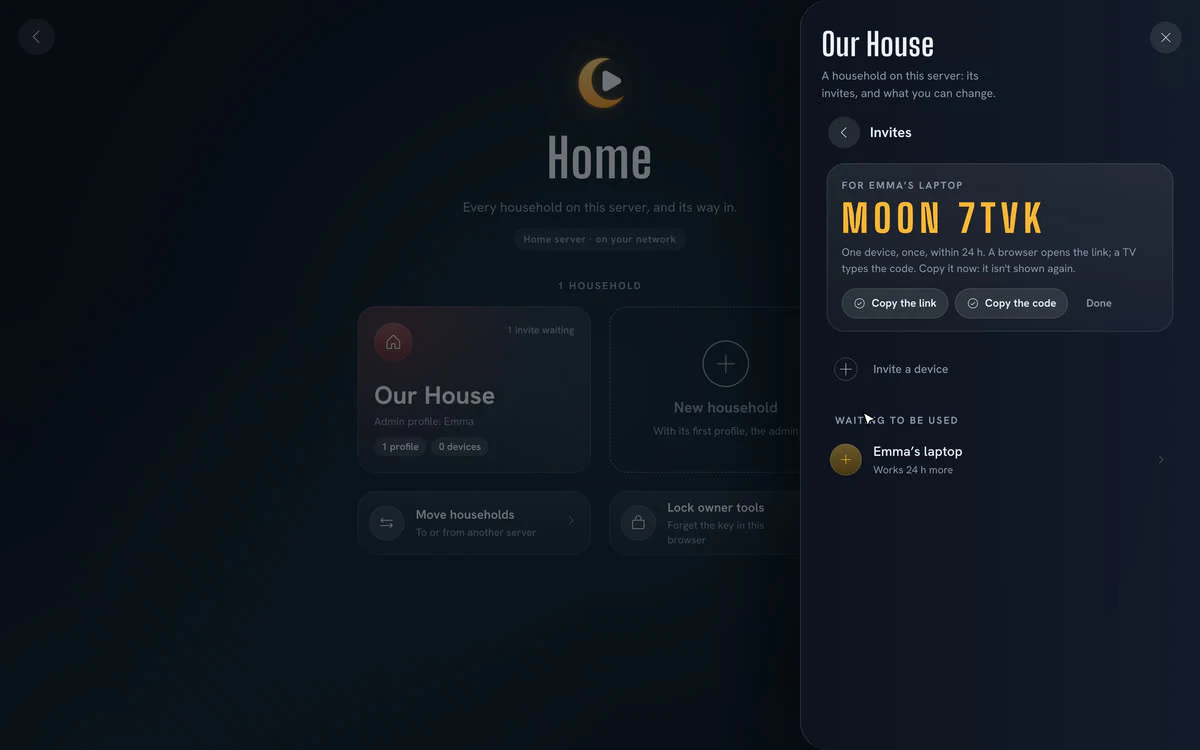
Open the link the setup prints and sign in with your owner key. Name your household and its admin, then open its invite in your browser: Nightcap opens as the admin.
From there, invite each TV. Put the app on the TV, pick your server, and everyone picks their face. Get the TV apps